
Dear Alli lives in a panel inside LinkedIn. You press the Dear Alli button, it reads the conversation on your screen, and it writes your next message from your own profile. You read the draft, then you send it yourself.
Setting up takes about ten minutes, and five of those are filling in your profile.
This page is the whole of it: get set up, then see how it works.
Get set up
Fill in your profile, first
Do this before you install anything. Open your private profile link and say who you help, what you sell, and the DMs that usually stall on you. You can paste in a few of your best comments as well, so your own-voice comments sound more like you. Every draft is written from these answers. Ten short questions, plus your email.
Install it
Open the private install link you were sent and click Add to Chrome. It runs in Chrome, Edge, Brave, Arc and any Chromium browser. It does not run in Safari or Firefox, so if you live in Safari, install Chrome and do your LinkedIn there.
Set your code
Go to LinkedIn, open any message thread and click Draft with Dear Alli beside the message box. Choose set your code, then Add your code. A Dear Alli tab opens: paste the personal code you were sent and click Save code. When it says Dear Alli is ready, you are set up. Go back to LinkedIn and press Draft with Dear Alli again for your first draft. That code is how Dear Alli knows it is you and pulls your voice.
Where it lives
There is nothing to open. A Dear Alli button appears in the row you are already looking at: Draft with Dear Alli in the message box, Comment with Dear Alli under a post, Reply with Dear Alli under a comment on your own post, and Openers with Dear Alli on a profile. Press it and the panel opens beside the page you are on. You never copy a conversation into another tab.
On a Sales Navigator lead page, where LinkedIn gives it nowhere to sit, a round Dear Alli button appears at the bottom right instead. That one is the exception.
How it works
In each one it drafts from your profile, and you copy what it writes.
A conversation that has stalled
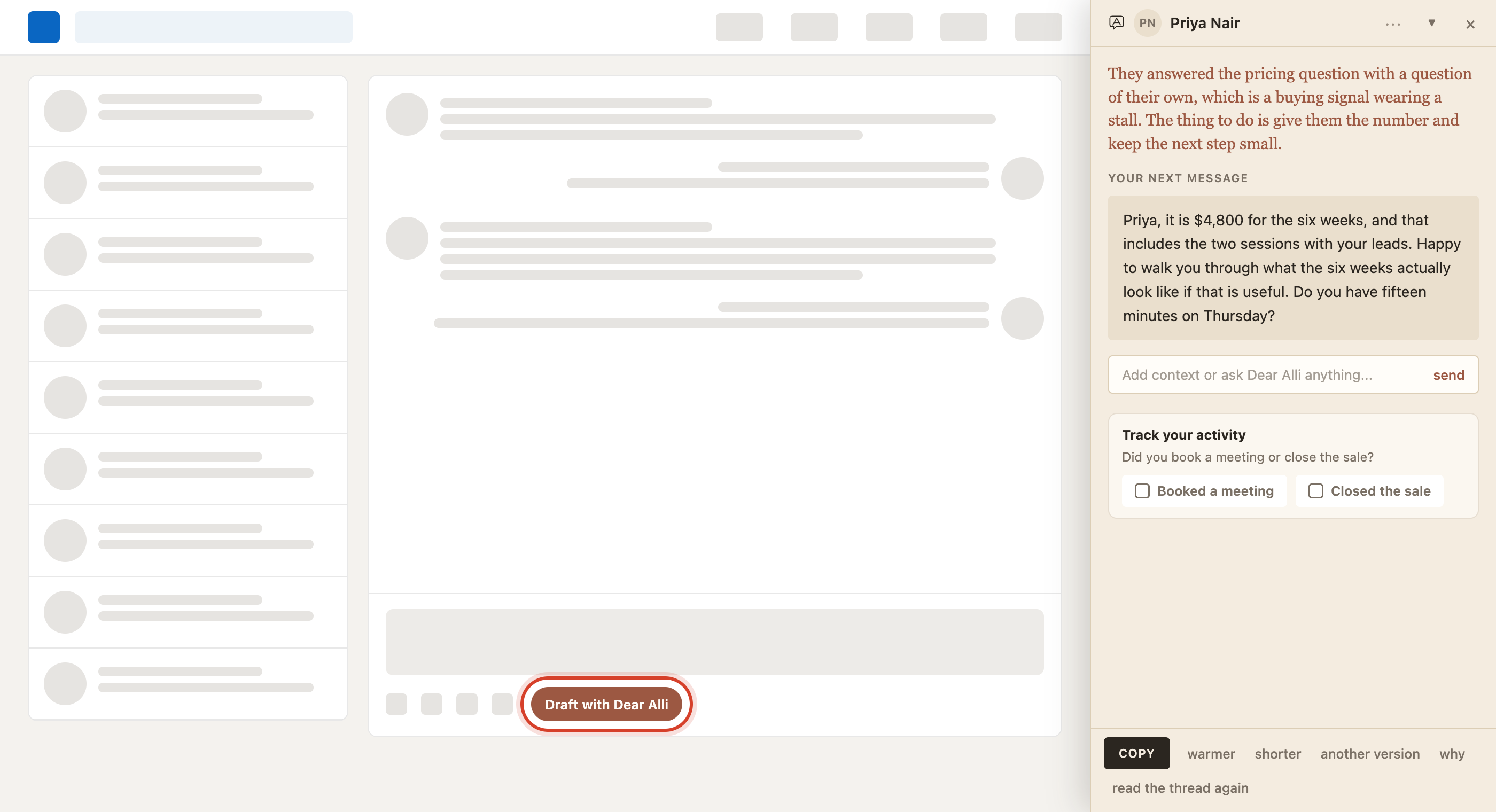
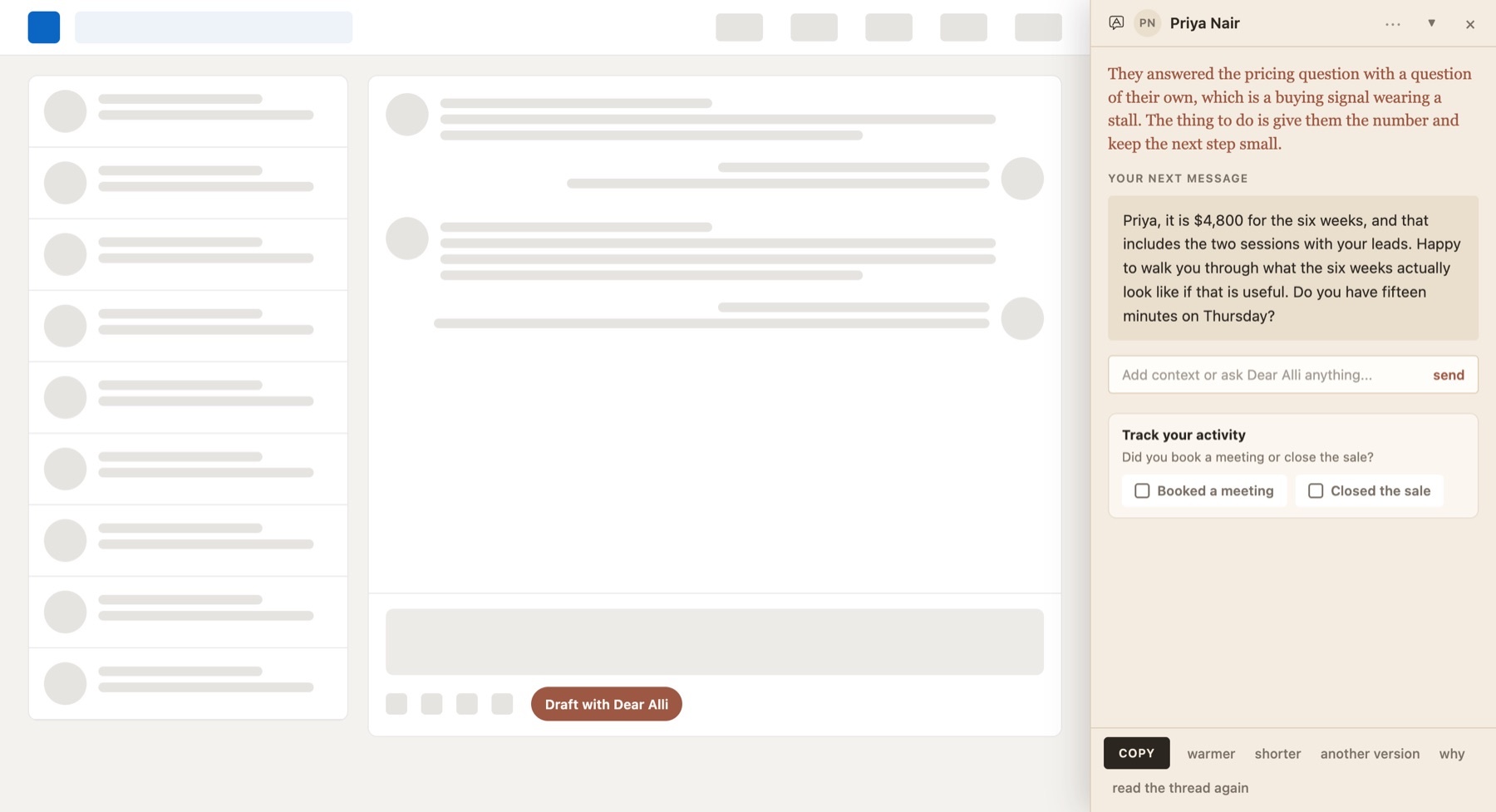
Open the thread and press Draft with Dear Alli. It reads what was already said and who said it, tells you how it reads the situation, then writes your reply. Ask it for a different angle if you prefer to see alternatives.
Someone you have never spoken to
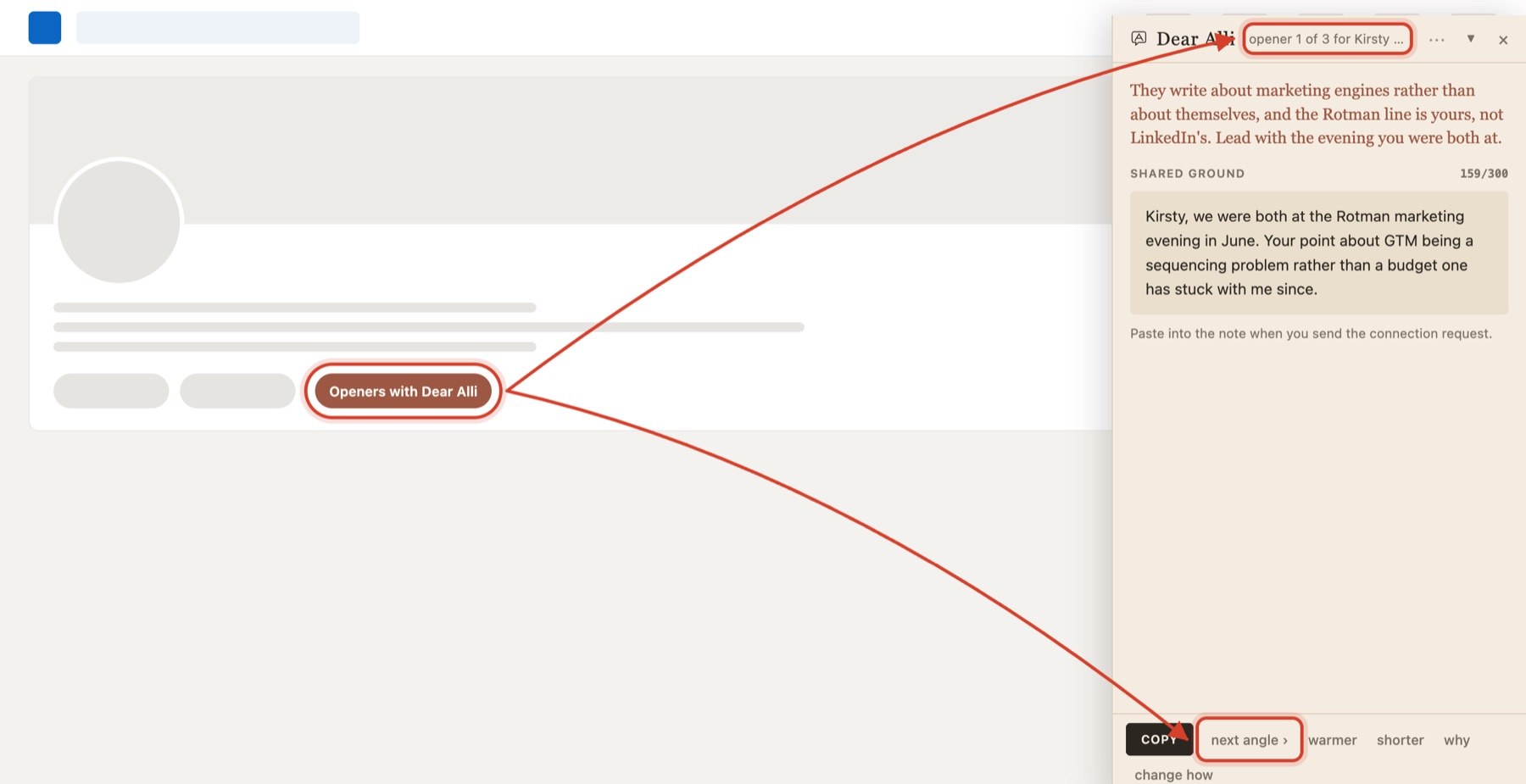
On their profile, press Openers with Dear Alli. It reads their role, their company, how many connections you share and what they last posted about, then drafts three openers from different angles. Pick the one that sounds like you. It tells you where that one goes: into the note on a connection request, or as your first message once they accept.
Somebody else's post
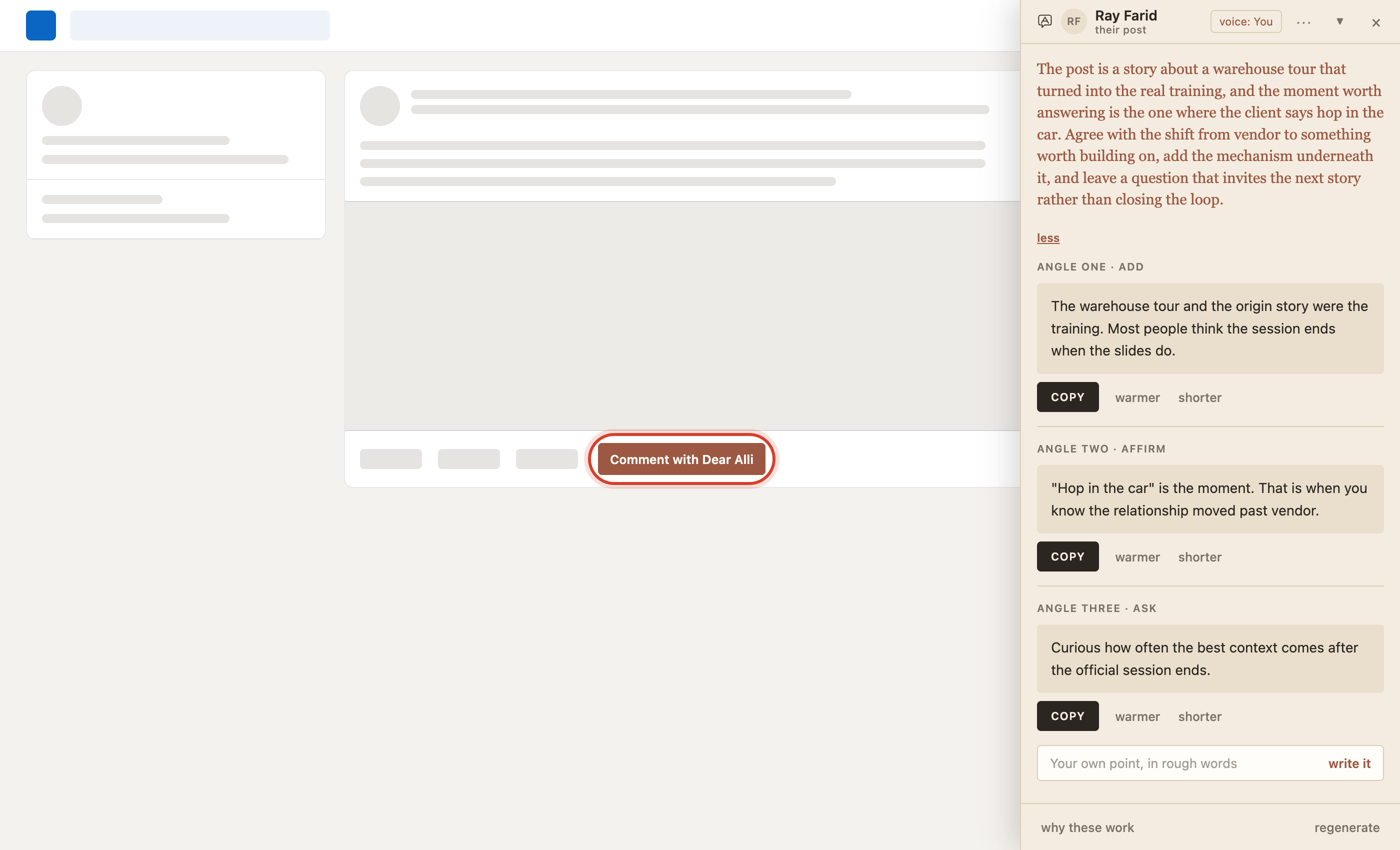
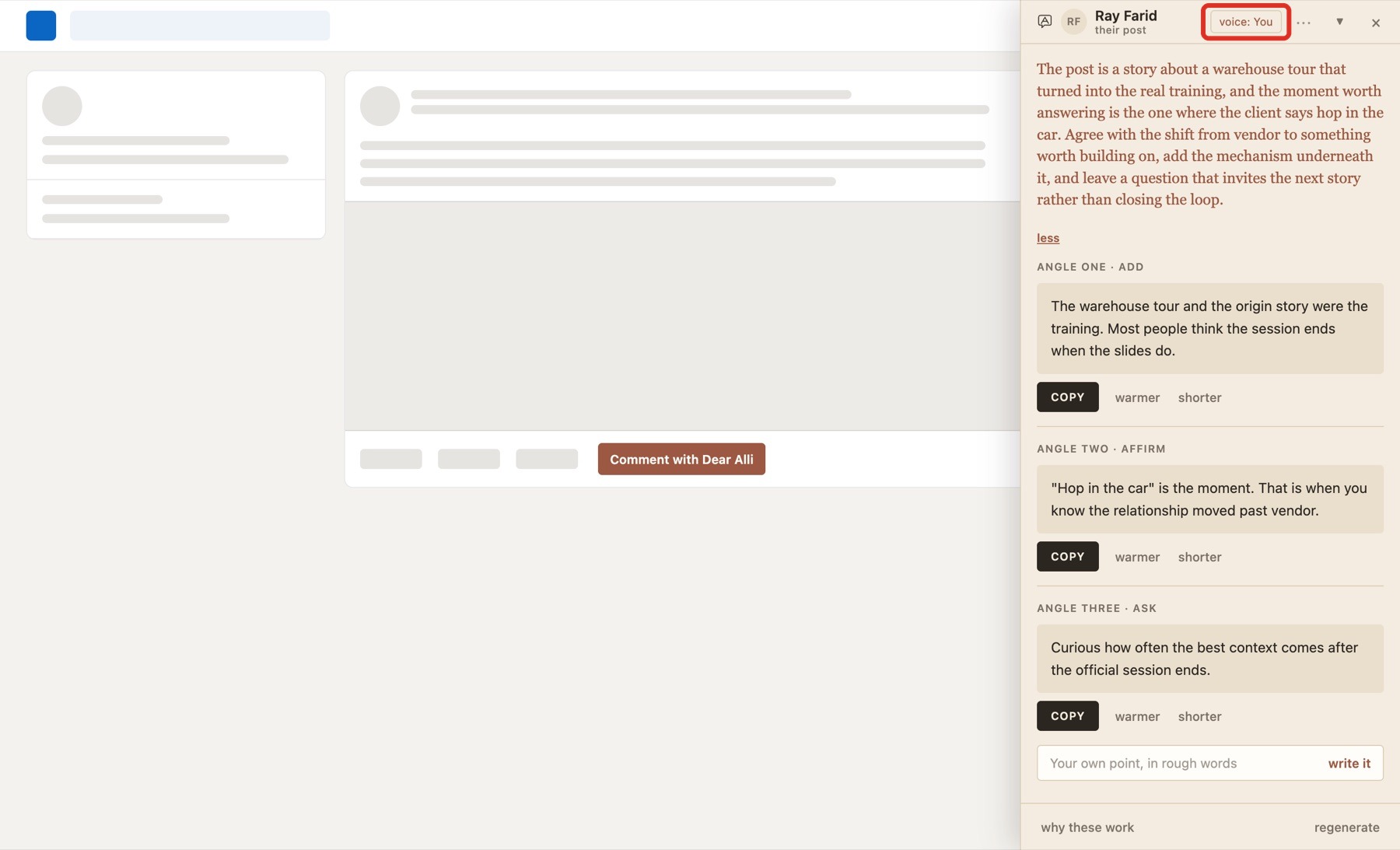
Draft a comment straight on the post. There is one real choice here: comment in Dear Alli's warm voice to get on someone's radar before you land in their inbox, or in your own voice to build your own credibility. The badge at the top of the panel, boxed in red below, shows whose voice is going out, so you are always clear.
A reply to someone who commented on you
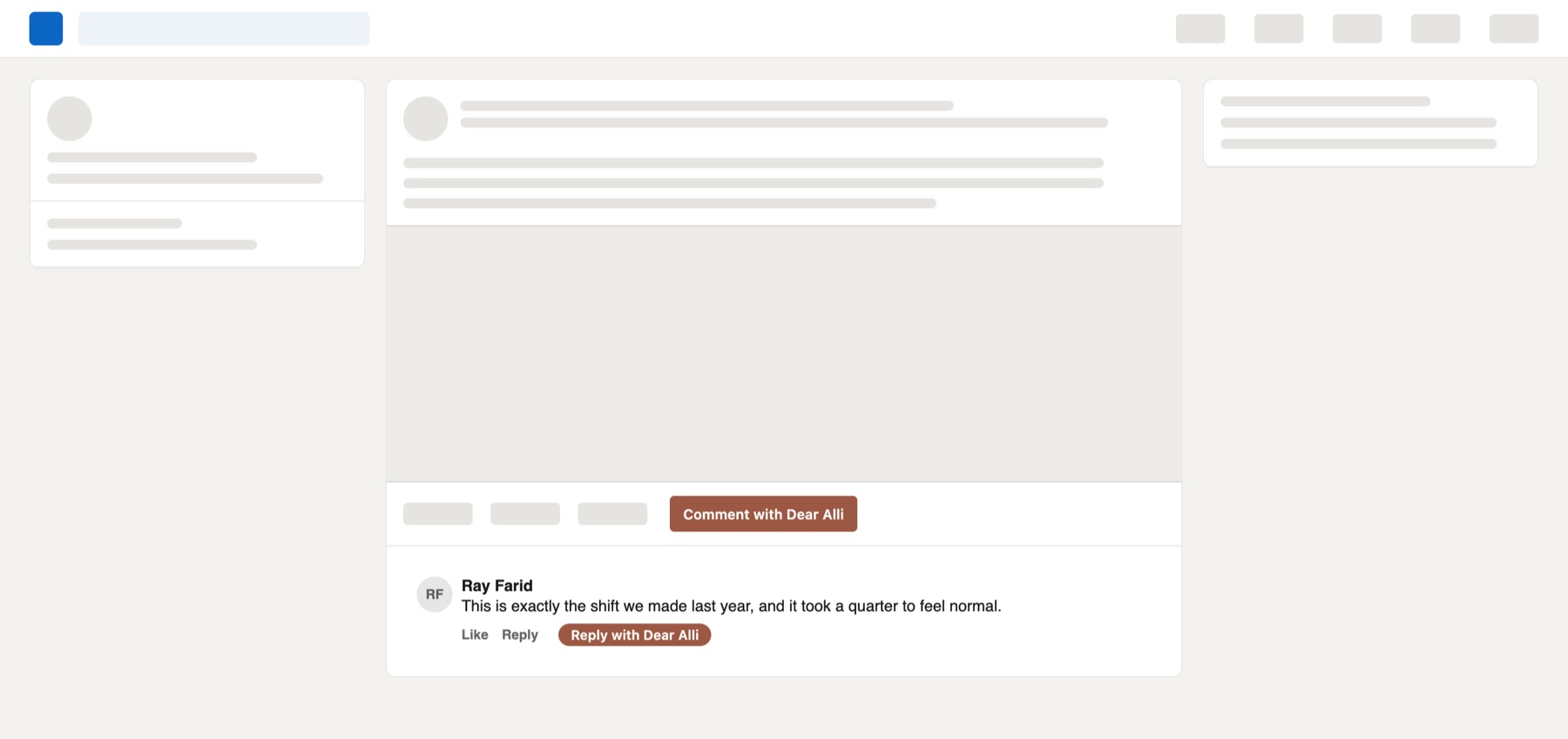
When somebody comments on your post, it drafts your reply back to them. Same choice of voice: Dear Alli's to warm them up, or your own to take the thread further.
Pipeline
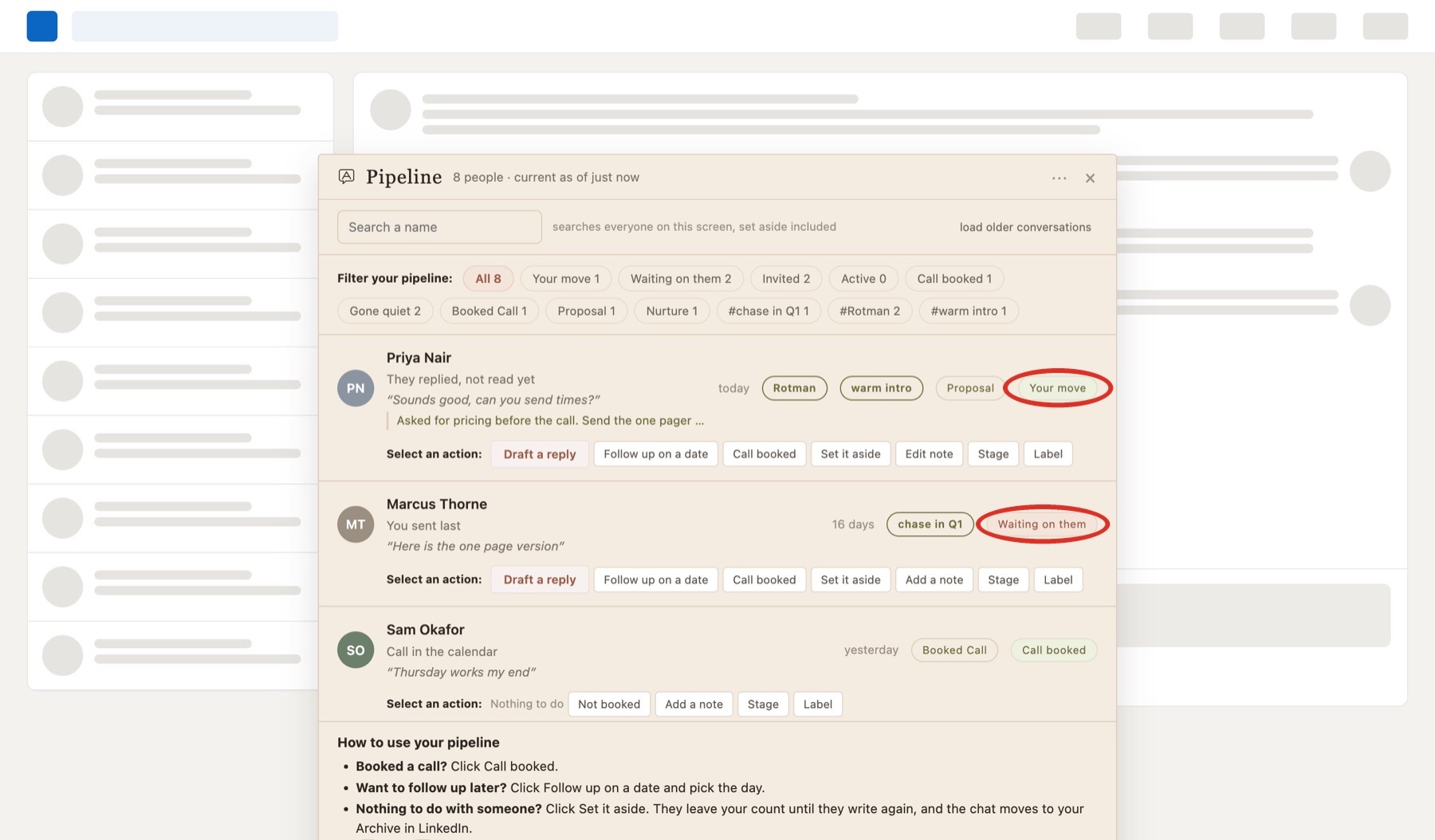
Pipeline is the list of who is waiting on you: people who answered you and are sitting there unread, and people you are waiting on who are owed a follow-up.
The number on the Dear Alli icon in your Chrome toolbar is that count. It sits there while you work, interrupting nothing, so you can tell at a glance whether anybody needs you without opening anything. Tap a row and it takes you straight to the conversation.
What each label means
Dear Alli sorts everyone for you, from the conversations you have already captured. There is nothing to type.
| Your move | They wrote back. These sit at the top of your list. |
| Waiting on them | You sent the last message and are waiting to hear back. |
| Active | A conversation that is going well. Nothing to do today. |
| Call booked | You have a call in the calendar, so no follow-up reminders. |
| Gone quiet | No messages either way for about a month. Draft a follow-up, or set it aside to keep your list focused. |
The buttons on a row
Every row has its own buttons under it. They keep your list up to date.
- Booked a call? Click Call booked.
- Want to follow up later? Click Follow up on a date and pick the day.
- Want someone off your list for now? Click Set it aside. They come back when they message you again, and the chat moves to your LinkedIn Archive.
Know the moment someone replies
A desktop alert lets you know when someone writes back, and once a day when a follow-up is due. Chrome asks your permission the first time you press a Dear Alli button. You can turn it on and off in the panel settings.
Track your activity
Beside Copy on every draft there is Mark as sent, or Mark as posted on a comment. That is what your scoreboard counts.
Your scoreboard is in the panel footer: DMs drafted, comments, what went out, replies, conversations, meetings, won. Mark as much as you can, so you can track your activity and your results.
Stuck on any of this? The answer book covers the common questions, or email dearalli@goto11.ca and a person will read it.